

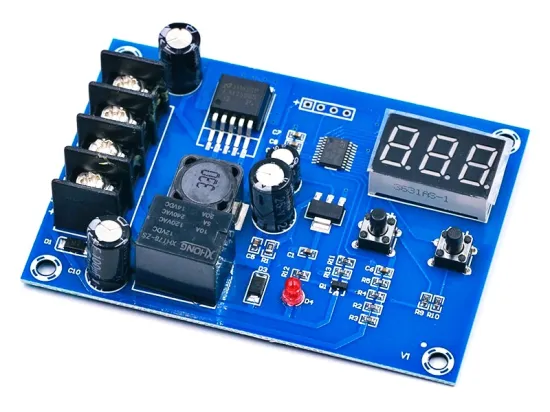

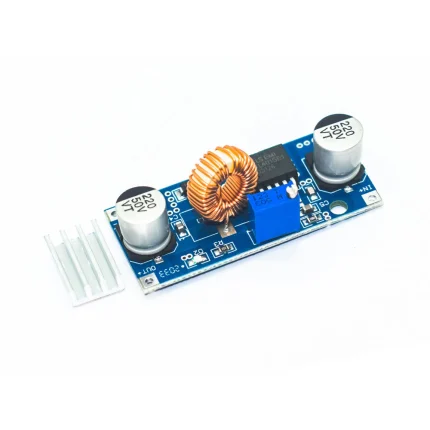
A battery charge controller is an essential part of a power system that charges a battery because it can keep the battery safe for a long term. A charge controller, in principle, is an electronic device that controls the flow of power from the battery charger to the battery. It automatically tapers, stops, or diverts the charge when the battery becomes fully charged. Some of the battery charge controllers can also be used to protect the battery life by preventing deep discharging (completely draining) of the battery.
XH-M603 Module
I recently went through some interesting XH-M60x series battery charge controller modules from China, so this post is a quick introduction to one of them – the XH-M603 module.
First, note that the XH-M603 is just a cheap battery charge controller, not an all over battery charger as many online dealer claims. Remember, you need to pick an external battery charger compatible with the battery that needs charged to use the XH-M603 module properly.
The XH-M603 module seems to be a universal battery charging controller as it lets the user set optimal thresholds for initiating and terminating the battery charging cycle. So, when the battery voltage is less than the “start” value, the onboard relay routes the charging voltage from the external battery charger to the battery, and if the battery voltage exceeds the “stop” value, the relay ceases the charging process Unfortunately, I could not find a user guide or in-depth tutorial on using this module. I went my way to better understand the module and succeeded in that task. It took a little longer than expected but I was happy with it.
Here are some steps that will help you to use your HW-632/XH-M603 module:
Connect your rechargeable battery to the module’s battery (BAT) terminals, ensuring proper polarity. After a while the LED display will show the exact battery voltage. Keep note, the module draws power from the battery for its operation, not from the battery charger.
In the normal display mode, pressing the UP/START button will display charging start voltage. You can long press it for around 3 seconds to see a flashing display. Then you can use the UP and DOWN buttons to set the start voltage value. In the end, leave the button until flashing stops and the chosen voltage will be set.
Likewise, in the normal display mode, pressing the DOWN/STOP button will display charging stop voltage. You can long press it for around 3 seconds to see the flashing display and can use the UP and DOWN buttons to set the stop voltage value. In the end, leave the button until flashing stops and the chosen voltage will be set.
Now connect the battery charger to the charger input (IN) terminals of the module, and you’re ready to go. Remember, it’s always important to match your battery charger to cater the correct voltage and current for the battery you are charging.
In power-on state, you can factory reset the module by pressing the UP and DOWN buttons simultaneously for around 3 seconds. Then it will show 888 in the LED display for a while. The default/factory values are 12V (start value) and 14.5V (stop value).
In Addition
While on the topic, one thing I’ve noticed while fiddling with the module is that the permissible range for the starting value is 6V to 59.8V, and for the stop value it’s 6.2V to 60V. However, you cannot use a 6V battery with this module, as the module requires at least 10VDC for its electronics to run smoothly. I will do an extensive test late



Reviews
There are no reviews yet.